
VIZIO | WatchFree+
VIZIOEntertainment
4.239.34K Reviews
- Version
- 5.4.0.rc-4.20261019.20.release
- Installs
- 10.00M
- Age Rating
- Teen
Screenshots
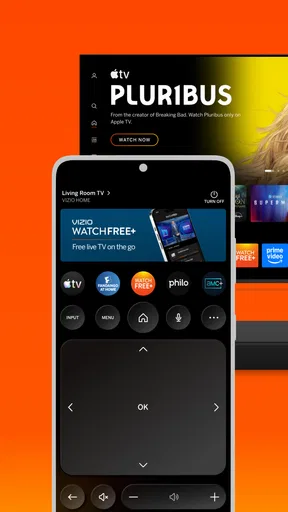
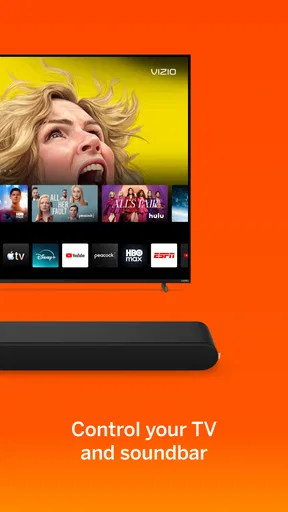
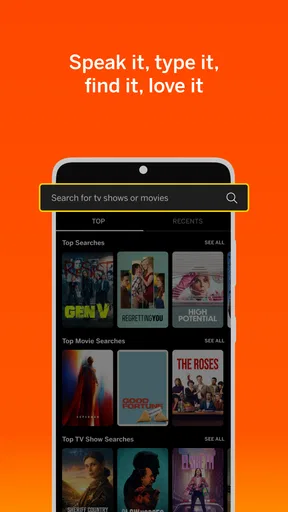
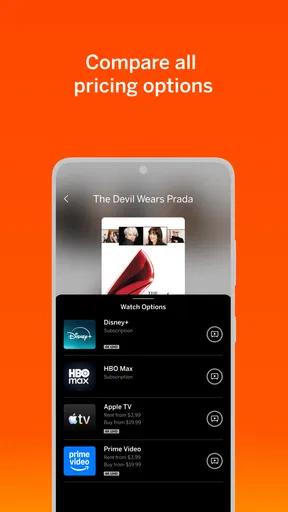
Our Review of VIZIO | WatchFree+
 Analysis by Appyee
I approached VIZIO | WatchFree+ as a companion for VIZIO television owners rather than as a replacement for every streaming service on a phone. Its role is easy to understand: it brings live television, entertainment discovery, and device control into one Android app. After spending time with it, I found that its main value comes from reducing the small bits of friction around watching TV—finding something to play, moving through available channels, and handling compatible television controls without reaching for several different tools.
The app is free, which makes trying it relatively low-risk, and it comes from VIZIO, the developer behind the television ecosystem it is designed to support. It sits in the entertainment category and carries a Teen content rating. Its presence is well established, with over ten million installs, an average rating of 4.2, and roughly ninety-three thousand ratings. Those figures suggest that many people find it useful, although they do not guarantee that it will fit every television setup or viewing habit.
My central recommendation is cautious but positive: if you already use a compatible VIZIO TV and want one place for live viewing, discovery, and control, this app is worth testing. If you mainly watch through a separate streaming box, prefer a completely provider-neutral guide, or dislike connecting a phone to a television, its advantages become much less important.
What the app is really for in daily use
I use the app most naturally as a starting point for an evening’s viewing, rather than as a place to spend time browsing for its own sake. This section looks at how live viewing, discovery, and television control can fit into a repeatable routine, then turns to the small setup choices that help keep that routine smooth.
A practical companion for VIZIO television owners
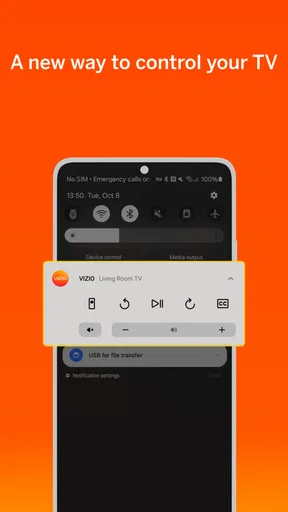
The first thing I noticed is that the app makes more sense when treated as part of a television setup. It is not simply a catalog of shows, and it is not only a remote-control utility. The combination is the point. I can use it to browse entertainment, move toward live viewing, and interact with a compatible VIZIO display from the same general place.
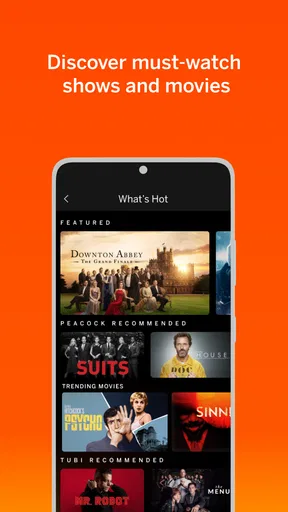
That combined approach is useful in an ordinary evening scenario. Imagine coming home, opening the app, and wanting something to watch without remembering which service carries it. Discovery gives you a starting point, while live TV provides a more immediate option when you do not want to search through several individual applications. If the phone is already nearby, device control can be more convenient than looking for a physical remote hidden between sofa cushions.
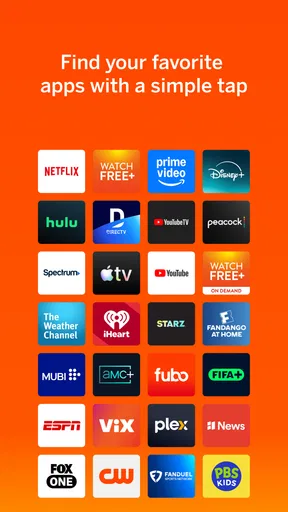
There is also a difference between “having more content” and “making content easier to reach.” I see the app’s strongest contribution in the second area. It can help turn an idle television into a quicker browsing experience, especially for someone who does not want to maintain a complicated collection of streaming apps. That does not mean every program becomes available in one place, but it does make the first step—deciding what to watch—less scattered.
Where it fits beside familiar alternatives
Compared with using a television’s built-in remote alone, the app gives discovery a more comfortable phone-based interface. A phone can be easier for browsing than clicking through rows with directional buttons, particularly when you are comparing several viewing options. Compared with a dedicated remote-control app, it offers more entertainment context instead of focusing only on volume, navigation, and power-related actions.
The trade-off is specialization. A general remote application may be a better choice if you use several television brands or want one controller for a mixed home-theater setup. A streaming service’s own application may be better when you already know exactly what you want to watch and care more about that service’s recommendations than about live television or device control. VIZIO | WatchFree+ is most convincing when the television itself is the center of the experience.
I would also avoid treating it as a universal replacement for a cable guide or every streaming subscription. Its usefulness depends on the connected VIZIO environment and on whether the available viewing choices match your habits. Someone who watches only a small set of subscription applications may find the extra discovery layer unnecessary.
Setup expectations and the first trust check
Before relying on the app, I would confirm that the television and phone are connected in the way the app expects and that the relevant device appears during setup. This is a simple but important expectation-setting step. A free app can still be inconvenient if the hardware connection is not ready, if the phone is being used away from home, or if another person is already controlling the television.
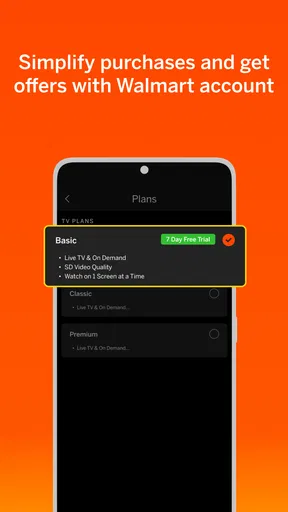
I also recommend reading each setup screen instead of tapping through automatically. The meaningful questions are practical: what device is being connected, what account or sign-in step is requested, and which controls are being enabled. That habit is especially valuable with a television companion because the app sits between personal viewing preferences and a physical device in the home.
The current release is listed as version 5.3.1.rc-2.20260818.22.release and requires Android 10 or later. That requirement matters if you are using an older phone. In my view, checking the operating-system requirement before planning to use the app as your primary remote is wiser than discovering the limitation when you need the television immediately.
Controls that deserve deliberate attention
The device-control side is where user choice matters most. I would connect the intended television carefully, give it an unmistakable name if the setup allows that, and avoid leaving several old or unfamiliar devices in the app’s active list. Clear device organization reduces the chance of sending a command to the wrong screen in a home with more than one television.
I would also keep the physical remote available during the first few uses. Phone-based control is convenient, but it introduces ordinary phone problems: the battery may be low, the device may be locked, notifications may interrupt the session, or the phone may be in another room. The app works best as an additional control route, not as the only way to operate the television.
Another useful habit is to separate browsing from control in your expectations. Discovery can be enjoyable while sitting with the phone, but controlling a television is a task where speed and certainty matter. If a command does not seem to register, repeating it rapidly can create confusion. I prefer waiting briefly, checking the visible television response, and then trying again. That is less exciting than tapping repeatedly, but it is more reliable in a shared living room.
Moments when data choices deserve more attention
Entertainment apps naturally involve moments where personal choices become visible through searches, browsing, watch selections, and device connections. I do not treat the presence of those moments as proof of misuse, but I do think they deserve conscious handling. When the app asks for access, sign-in, or a connection to a television, I would read the wording and grant only what is needed for the feature I am about to use.
For a shared household, this matters even more. A family television can be used by several people, while one phone may belong to one person. I would avoid assuming that every profile or viewing preference should be exposed to everyone who can pick up the phone. Keeping the phone locked, reviewing which account is active, and checking the connected device before controlling it are small steps that preserve a useful boundary between personal browsing and shared hardware.
There is a similar issue when handing the phone to another person. If someone else wants to browse, I would first check whether the app is displaying a personal account or a connected television. That prevents an innocent request such as “find something to watch” from turning into unwanted changes to the wrong device or account area. The app can be convenient without being completely hands-off; a few seconds of review improve control.
I would not make broad claims about privacy beyond what the app visibly explains during use. Instead, I would look for the app’s permission prompts, account settings, device-management choices, and any available privacy controls before accepting them. If a requested access item does not make sense for the action I want, I would pause and investigate rather than approving it automatically. That is a sound approach for any entertainment application connected to a television.
How much control does the user retain?
The app feels most respectful when it lets the user choose whether to browse, watch, or control the television rather than forcing one path. I would use discovery when I want suggestions, live viewing when I want something immediate, and device controls only when they solve a real problem. This selective approach keeps the app from becoming another source of background activity on the phone.
Account control is another area where I would be methodical. If the app presents sign-in or profile options, I would use the account intended for the household and review any visible settings after setup. When a device is sold, replaced, or moved to another home, I would remove or disconnect it through the available controls rather than assuming that uninstalling the app alone handles every connection.
That last point is easy to overlook. Removing an app from a phone and ending a television association are not necessarily the same action. I would look for an explicit device-removal or sign-out choice wherever the interface provides one. This is a practical privacy habit, not a criticism unique to VIZIO. It is particularly relevant when a phone is shared, upgraded, repaired, or given to another person.
Notifications also deserve a quick review. If the app offers notification choices in the operating system or within its settings, I would keep only the alerts that help me discover or control content. Entertainment recommendations can be useful at the right time, but they can also make a television companion feel more intrusive than necessary. Choosing a quieter notification setup is one way to keep the app aligned with the role I actually want it to play.
What I like after using it for a while
The strongest quality is the sense of continuity between the television and the phone. I do not have to think of discovery and control as completely separate jobs. That is especially helpful for casual viewing, when I want to explore rather than launch a specific service with a predetermined title.
The app is also approachable for households where the physical remote is not always convenient. A phone is often already in hand, and the ability to move from browsing to television interaction can make the experience feel less fragmented. For someone who has recently bought a compatible VIZIO display, installing the companion app is a sensible way to see whether the television’s connected features fit their routine.
Its free price is another practical advantage. I can test the basic experience without making a purchase decision first. That makes the app easier to evaluate honestly: connect it, try a few real viewing situations, and keep it only if the combination of discovery and control saves time.
Where the experience can fall short
The same integration that makes the app useful also narrows its audience. If your television is not a compatible VIZIO model, the central device-control benefit may not apply. Even for VIZIO owners, the app may not replace the speed of a physical remote for simple actions. Pressing a button can still be faster than unlocking a phone, opening an app, and waiting for the control interface.
Discovery can also be less satisfying for viewers who already have a carefully organized streaming routine. If I know exactly which application, channel, or subscription I want, switching through the television’s normal interface may involve fewer steps. The app earns its place when it reduces uncertainty, not when it adds another layer to a decision I have already made.
Phone dependence is another limitation. A remote does not compete with incoming calls, low battery, or a phone being used by someone else. I would not recommend making this app the sole control method in a home where several people need immediate access to the television. It is better viewed as a flexible second route, with the original remote still available.
The Teen content rating is worth keeping in mind for families. It does not tell me that every viewing choice is suitable for children, so parents should still supervise what younger viewers access and use the television’s own controls where appropriate. I would not hand over browsing responsibility based only on the fact that the app is free or easy to install.
Who should install it, and who should skip it?
I would recommend trying it if you own a VIZIO television, regularly browse without a specific program in mind, and like the idea of using a phone for both discovery and device control. It is also a reasonable fit for someone who often misplaces the physical remote but keeps their phone close. The free price makes that trial straightforward.
I would be more selective if you use a mixed-brand entertainment system, rely on a dedicated streaming box, or prefer to keep viewing activity and device control entirely separate. In those cases, a platform-neutral remote or the individual streaming services may better match your setup. People who avoid account connections and do not want to review permissions should also think carefully before adding a companion app to the television.
For families, I would install it only after agreeing on who can control the television and which phone should be connected. For a single-user home, the decision is simpler, but I would still review the account and device choices during setup. The app is not difficult to understand; it simply rewards users who pay attention to the connection details.
My cautious verdict after weighing convenience and control
VIZIO | WatchFree+ is a focused entertainment app with a clear purpose: bring live viewing, content discovery, and VIZIO device control closer together. In my experience, it is more useful as a television companion than as a standalone entertainment destination. That distinction explains both its strengths and its limits.
I like the convenience of having a phone-based route into the television experience, and I appreciate that the app costs nothing to try. I also think its value depends heavily on the hardware and habits surrounding it. It cannot make an incompatible television part of the VIZIO setup, and it should not be mistaken for a universal remote or a substitute for every streaming service.
My final advice is to install it with a deliberate setup routine: check the Android requirement, connect only the intended television, read permission and account prompts, review notification choices, and keep a physical remote nearby. Then test it during a normal evening rather than judging it from the feature list alone. If it shortens the path from “I want to watch something” to actually watching, it has earned a place on your phone; if it adds steps to an already simple setup, you are better off with the tools you already use.
Developed by VIZIO, the app has been available since March 21, 2016, and its current release is 5.3.1.rc-2.20260818.22.release. Those details place it in an established product line, but the right decision still comes down to your television, your household, and your comfort with connected controls. I would recommend a careful trial—not blind trust—and would keep it only if its convenience remains clear after the initial novelty wears off.
Privacy and Permissions
See what permissions an app requests and how it handles your data.
- Location
- approximate location (network-based), precise location (GPS and network-based)
- Photos/Media/Files
- read the contents of your USB storage, modify or delete the contents of your USB storage
- Storage
- read the contents of your USB storage, modify or delete the contents of your USB storage
- Camera
- take pictures and videos
- Microphone
- record audio
- Wi-Fi connection information
- view Wi-Fi connections
- Other
- view network connections, pair with Bluetooth devices, access Bluetooth settings, change network connectivity, allow Wi-Fi Multicast reception, connect and disconnect from Wi-Fi, full network access, run at startup, control vibration, prevent device from sleeping
Verdict
Strengths of VIZIO | WatchFree+
- Free access to live TV channels and on-demand entertainment
- No cable subscription or long-term contract is required
- Simple interface makes browsing channels quick and convenient
- Works across supported VIZIO Smart TV models
- Includes news, movies, shows, and lifestyle programming in one place
Limitations of VIZIO | WatchFree+
- Channel selection and content can vary by location
- Advertising is frequent during free programming
- Requires a reliable internet connection for smooth playback
- Some content may disappear or change without notice
- Older VIZIO TVs may have limited app compatibility or features
Similar Picks in This Category
View All
Google Play Games
Google LLC3.9

Netflix
Netflix, Inc.4.8

YouTube Kids
Google LLC4.2

Disney+
Disney4.4

Prime Video
Amazon Mobile LLC4.7

Steam
Valve Corporation3.2
Frequently Asked Questions
What is VIZIO | WatchFree+?
VIZIO | WatchFree+ is a free, ad-supported streaming service designed for watching live channels and on-demand entertainment. It brings together news, movies, television shows, sports-related programming, lifestyle content, and other categories in one interface. Availability and the exact channel lineup can vary by country, device, and time, so users should check whether the service is supported in their region before downloading.
Is VIZIO | WatchFree+ completely free to use?
The service is generally available without a traditional monthly subscription, which makes it appealing to users who want to watch content without paying for a premium streaming plan. However, free access is supported by advertising, so commercial breaks are part of the viewing experience. Some content or features may also depend on regional licensing, device compatibility, or integration with other VIZIO services.
Do I need a VIZIO smart TV to use the app?
VIZIO | WatchFree+ is primarily associated with VIZIO smart televisions and compatible VIZIO platforms, but supported access can depend on the version of the service and the device you are using. Before installing, review the official store listing and compatibility information for your Android or iOS device. Older hardware, unsupported regions, or outdated software may limit access.
What kind of content can I watch on VIZIO | WatchFree+?
The platform typically offers a mixture of live, linear-style channels and on-demand programming. Depending on your location, you may find movies, television series, breaking news, entertainment, reality programming, lifestyle shows, comedy, and other themed channels. It is better suited to casual channel browsing than to accessing every specific premium series, since the catalog is controlled by licensing agreements.
Does VIZIO | WatchFree+ require an internet connection?
Yes, an active internet connection is required to stream content through VIZIO | WatchFree+. The quality of playback depends on your connection speed and network stability, and weaker Wi-Fi may cause buffering, lower video quality, or interruptions. Users should also remember that streaming can consume significant data, particularly on mobile networks, so Wi-Fi is recommended when available.
